

For most companies and organizations, their websites are usually created with one of the common CMS systems, whether it is WordPress, Drupal or Adobe Experience Manager. There is, however, one specific category of websites that does not fit entirely into the CMS mold – and that is e-commerce websites.
Thus, we decided to analyze what it takes to localize an e-commerce store site, and what considerations and limitations there might be when building an e-commerce store for the global market. In this case study, we zoomed in on the features of Shopify and Weglot for this purpose.
Our Source Site: Coffee Manufactory
We have chosen to build a test store based off the website of Coffee Manufactory [https://www.coffeemanufactory.com/], a specialty coffee brand based in San Francisco and Los Angeles. It is interesting to note that the brand currently has a retail location in Tartine bakeries in Seoul, South Korea, but its website is not localized into Korean yet. Thus, there would be real business value in exploring the feasibility of localizing Coffee Manufactory’s website.
Using the site [https://whatcms.org/], we were able to find out that Coffee Manufactory’s site is hosted on the Shopify platform, which naturally lead to us wanting to recreate the site on Shopify and examine what localizing a Shopify store would be like. While Shopify does have some features that overlap with other CMS systems, it also has many functions that are tailored to the ecommerce experience, like greater control and customization over customer relationship management (CRM) and automation, as well as logistics like currency, international shipping and taxes. More on these considerations later in the post.
Recreating the Shopify Store
With Shopify, you can start with a 14-day free trial that allows you to access all standard features, which was sufficient for our needs. We created a Shopify account, picked a name for our e-commerce store, and chose one of the basic Shopify templates to start with.
The first step was to set up the structure of the different pages and products. Here, you see that we are adding the same image assets and text in order to recreate Coffee Manufactory’s homepage, using the block editor within Shopify. Generally, you could achieve a similar effect with just the existing blocks, such as sliders and image galleries, but there are some limitations.

One problem that we faced was that the ‘default page’ template was shared across all pages, so the structure and layout of the blocks would be synced, and you could not customize layouts across different pages. To workaround that, we found a way to access and edit the code directly, duplicating the .JSON files so that the blocks could be differentiated by each page.
As for the visual style, within Shopify you are able to set fonts and colors for the whole site, but they are applied across the board. In order to enable customization for different pages, we edited the CSS code so that fonts, colors and text layouts were customized for each page. It required more maneuvering and workarounds than your average CMS, so that might be a drawback of Shopify if you require higher levels of customization.
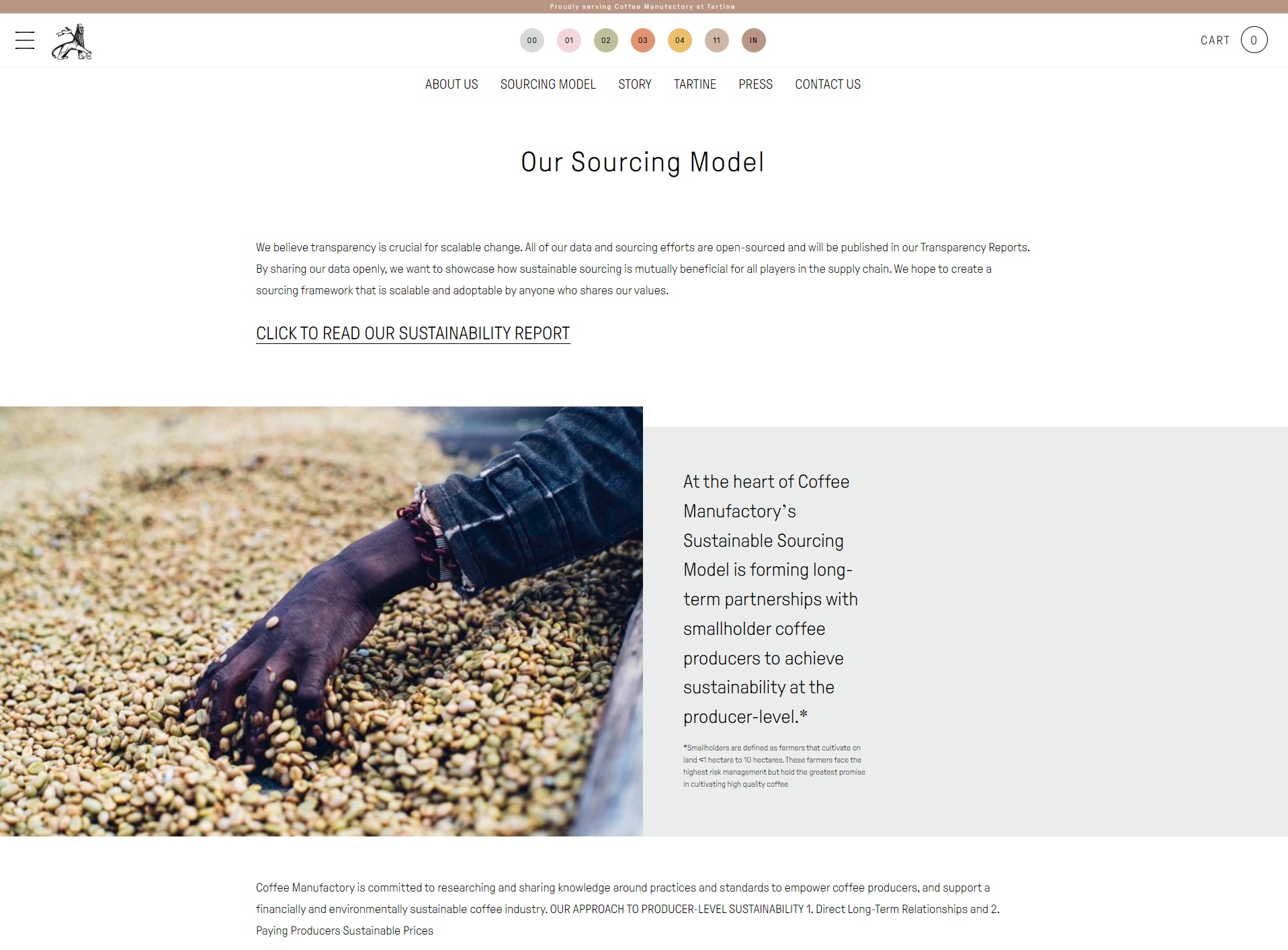
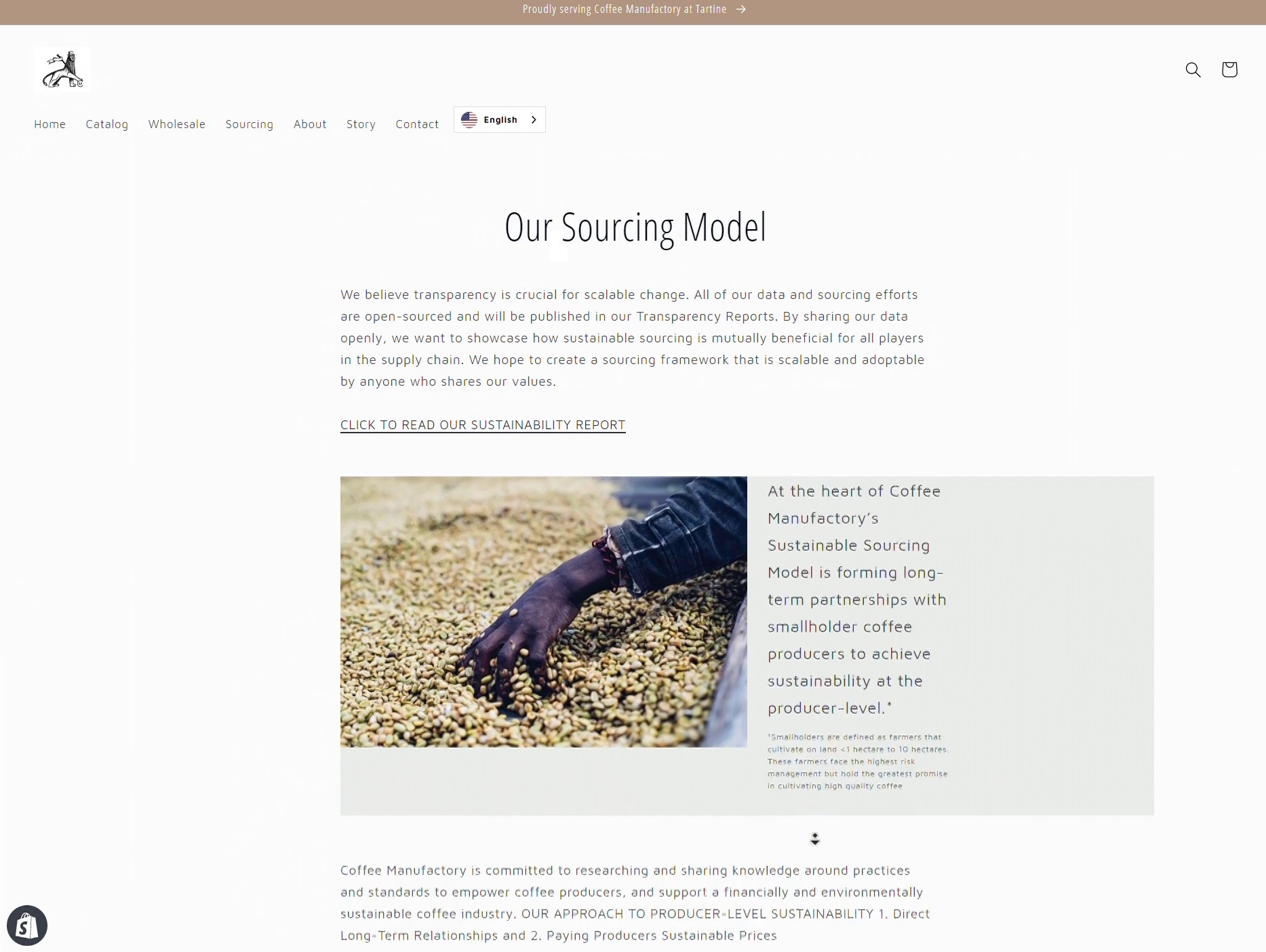
With these edits, we were able to recreate the website for Coffee Manufactory to look like the original as much as possible! Now, we were ready to move on to the localization step.
Website Localization with Weglot & Manual Translation
Within Shopify, there are two main ways one can choose to localize their website and add translations: using a third-party app or manually uploading translations with a .csv file. We wanted to compare the experience of both methods.
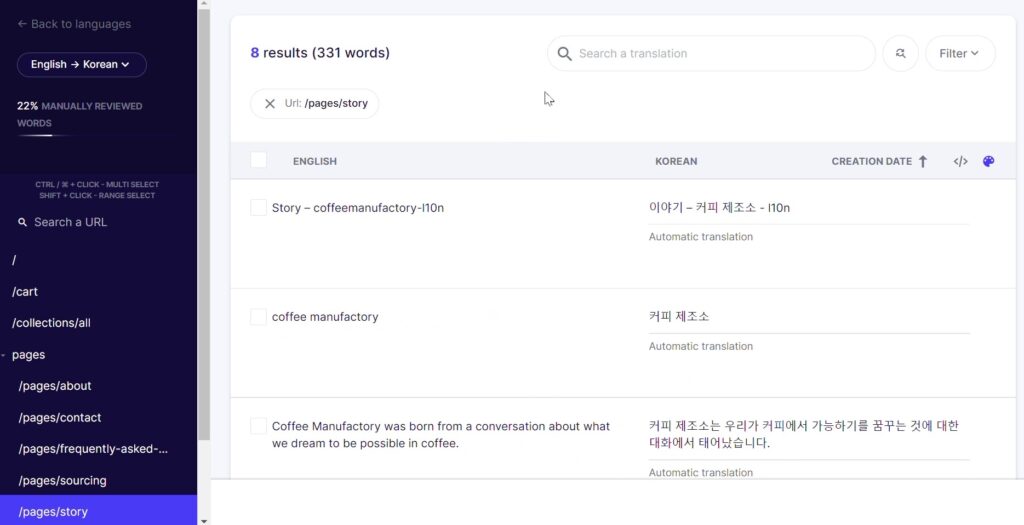
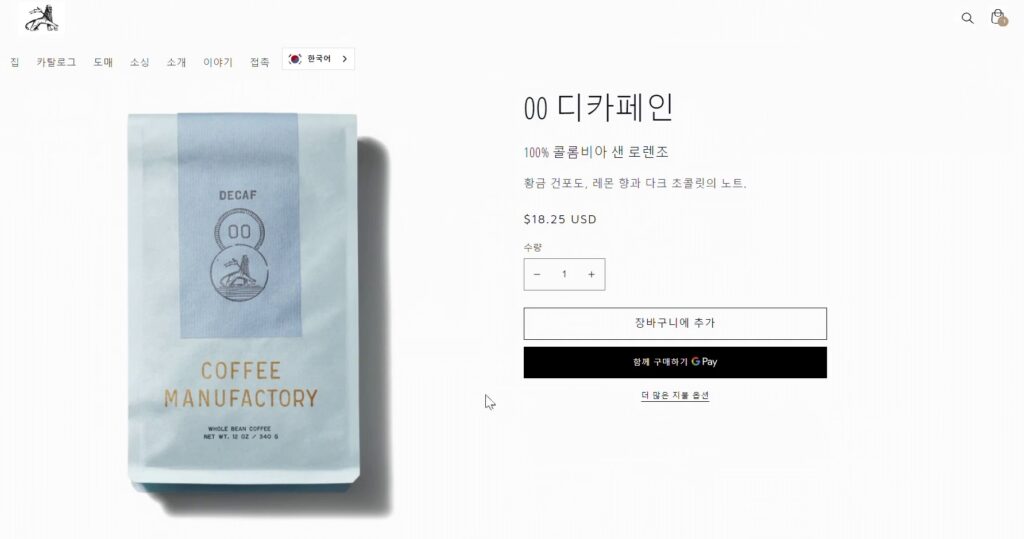
First, we installed Weglot and linked it to our Shopify store – and needless to say, it was a very seamless process. After the integration was set up, Weglot was able to crawl through all of the main content and provided immediate machine translation, which was loaded back onto the site in no time. It was very impressive to see the website in Korean right away. Editing the machine translation was also a simple process in Weglot’s internal translation editor, where one could see the original string and machine translation to be edited.

Next, we tried the manual translation import method by directly uploading a .csv file of translations onto the Shopify platform (linked with the Translation & Currency app). This allowed us to create a site in Chinese, and there were also some benefits where Weglot fell short.
Limitations: On the Shopify help page, it lists some limitations of third-party app integrations like Weglot, which we also found to be true after testing it on our site:
- Tags (such as product tags, article tags, and blog tags) can’t be translated.
- Product URLs, such as /products/large-white-t-shirt, aren’t translated and remain in the language that they were created in, even when a customer is viewing the site in another published language.
- Theme’s primary language cannot be a regional variant when using Shopify Markets. [English instead of English-US. This might be a problem for highly varied languages, e.g. Spanish or Chinese]
In addition, some ecommerce-specific functions that you can customize on Shopify’s platform was also not available for translation in Weglot, for example abandon cart emails. Only by enabling the internal translation on Shopify’s manual import, could you access a window to insert the translations. Since this would usually be translated once and not updated often, we did not think it was a deal-breaker to add this manually instead of via Weglot.
Other Considerations with Global Ecommerce Stores
Language & Locale
- How do you decide which regions to ship your products to, or which languages to target your ecommerce store? Here are some types of data you could gather to make a strategic decision:
- Web traffic visitorship (Similarweb, SEOreview)
- Social media followers / YouTube subscribers analysis
- Number of support / query tickets
- Necessary secondary language support? (e.g. in Philippines, Netherlands, Sweden, although English is not the native language, there is very high adoption of English and you can get away with not offering Tagalog / Dutch, etc. as most users can understand English)
- After you’ve picked your locales, how do you optimize SEO in order to maximize your global store’s presence?
- With Shopify, there are three ways to set up your international domain structure: as top-level domains [coffeemanufactory.com and coffeemanufactory.kr], as sub-domains [kr.coffeemanufactory.com] or sub-folders [coffeemanufactory.com/kr]. This post discusses benefits of each option and how they fare with SEO, where there are pros and cons to each.
- As for us, we noted that with the first two options, you can set customized currency and site language options within Shopify and manage them together, which is useful if the store is supporting many markets at once.
International Shipping, Currency & Markets
- Shopify has a very useful Markets function, which allows you to set up individual ‘Markets’ where you can then customize store language, currency and international shipping options based on the country and locale.
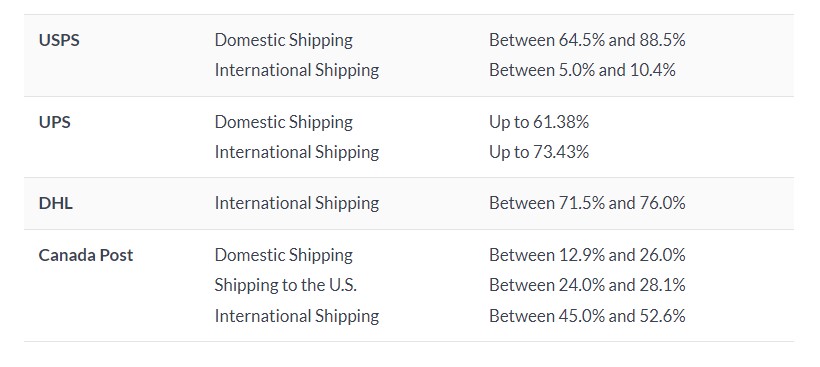
- Carriers + Shipping Rates: Shopify has negotiated reduced international shipping rates with some carriers. That’s why it might be helpful to compare rates across different carriers, or choose differentiated providers for different destinations.
- Shipping restrictions: Something else to consider, especially with products like coffee or fresh produce, are shipping restrictions which may differ per country. For example, some countries restrict international shipping on certain types of coffee, like unroasted fresh coffee beans.
> To prevent this from happening, you can create shipping rules for your products. That way, any restricted items never get shipped out to customers in these locations. You can even include language on your product page about these restrictions in Shopify.
Conclusion
Through this case study, we were able to gain a better understanding about the process of localizing ecommerce stores, which are an important category of company websites. There are many considerations and limitations that set it apart from a typical CMS functionality, and thus these business needs also have to be analyzed when implementing website localization for a global ecommerce store.